Overview
About Kirby's Block Ball
Kirby's Block Ball is an arcade-style game for Game Boy.
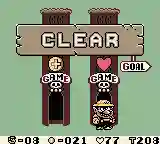
Kirby is the ball here, so you move the paddle rather than steering him directly around the board. Keep him in play while he knocks out the blocks needed to clear the round. Each rebound gives you a brief chance to set up the next shot, but a block, wall, or enemy can change the answer before Kirby comes back. Later layouts can put paddles and hazards on other edges, and boss rounds give you a moving target instead of a bank of blocks. The immediate job stays the same: cover the edge he's actually heading toward.
A regular paddle return sends Kirby back into play. If you time the action input as Kirby meets the paddle, he swells for a stronger rebound. That powered contact is useful for breaking blocks that resist the normal bouncing ball. Start the input too soon or too late and you won't get the same result, so watch the gap between Kirby and the paddle rather than pressing as soon as he begins to descend. Get the paddle into place first. Timing a stronger hit doesn't help if Kirby is already outside its reach.
At the start of a crowded board, most upward paths will touch something useful. When only a few blocks remain, the choice of rebound matters more than the number of hits you can make quickly. Change where Kirby meets the paddle to send him back on a different line. Look for a lane between surviving blocks or a wall bounce that takes him behind the group. If you're sending him through the same empty part of the board several times, deliberately change the contact rather than hoping for a different outcome.
After a collision, trace Kirby's new line from the collision point. It is easy to remember where he was heading before he clipped the edge of a block and move the paddle to the wrong spot. Short bounces near an edge leave less time to correct than a long trip across the board, so move early once the new path is clear. When more than one edge matters, check where the current line meets the boundary before choosing how far to move. A safe return is worth more than a carefully aimed shot you never get to make.
If one block remains near a corner, try to send Kirby toward that side with a shallow enough approach to reach the wall and turn back into it. If the shot misses, note which side of the block he passed and move the contact point a little on the next return. In a boss fight, you might see Kirby heading away from the target after a hit. Don't chase the boss with the paddle. Get under the real return path first, then use the following rebound to aim at where the boss is moving.
How to Play Kirby's Block Ball in Your Browser
- Open the player above and select Start Game when it appears. This launches the browser emulator; it is separate from the Start button on the original controller.
- Wait for the Game Boy title screen. If loading fails before you reach the game, use the player’s reload button and give it another try. A black loading screen does not always mean the controls are unresponsive.
- Click inside the game window before using the keyboard. For a connected controller, open Control Settings and check its directions and action buttons at the title screen before you start a run.
On a phone or tablet, use the virtual buttons if your browser shows them. Landscape orientation may make the game easier to see. If you need to hold a direction and press several buttons at once, try a compatible gamepad or a desktop keyboard.
Kirby's Block Ball Controls
| Keyboard | Controller input |
|---|---|
| Arrow keys | D-pad |
| Z / X | A / B |
| Enter | Start |
| V | Select |
These are the default emulator bindings for player one. If they do not match your session, open Control Settings inside the player. The original controller labels tell you which button is being simulated; the game decides what that button does.
On an early board, spend several returns watching where Kirby meets the paddle. Try a contact nearer the middle and then one farther to the side on a similar incoming line. Watch the direction immediately after each bounce, before Kirby hits a wall or block. Aim to predict which half of the board he will enter.
For the timing drill, wait for an approach you can see long enough to get the paddle in place. Press the action input as Kirby touches it and look for the brief larger form. If you don't see it, reset your attention to the next return. Try a slightly later or earlier input on another clear approach until you can recognize the timing.
Kirby's Block Ball Tips
- Set the paddle before timing On a board with sturdy blocks, pick an incoming bounce with a long, clear path to practice the stronger return. Move the paddle into place before Kirby reaches it, then use the action input just as he makes contact. If the input only gives you a regular rebound, keep tracking the ball rather than trying to correct the missed input immediately. Attempt the stronger hit again on another predictable approach.
- Change one part of the angle When a shot keeps missing the last block, compare two returns on similar incoming lines. Move the paddle a little so Kirby strikes a different part of it and watch how the outgoing angle changes. A small adjustment is easier to learn from than a full sweep across the screen. If you can't reach the planned contact point, prioritize a safe bounce and wait for a better setup rather than risking a miss.
- Open a lane through the blocks When most of the board is intact, aim successive returns toward one section instead of trying to spread them evenly. Once a channel opens, another shot into that gap can carry Kirby behind blocks he couldn't reach from the front. If he keeps clipping the same outer block and bouncing straight back, send him toward the opposite side for a turn or two, then try the channel from a different angle.
- Read the boss between returns Watch where the boss moves while Kirby is well away from the paddle. Use that time to pick a side for the next rebound rather than tracking the boss with the paddle itself. As Kirby approaches an edge, switch your attention to making contact. If aiming ahead of the boss keeps pulling you out of position, make a few safe returns and shoot only when the incoming line leaves time to adjust.
Games Like Kirby's Block Ball
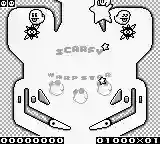
- Kirby's Pinball Land: Another arcade-style game on Game Boy; use the same controller layout to learn its opening.
- Kirby's Dream Land 2: Keep the Game Boy controller layout but switch to a platformer.
- Kirby's Dream Land: Keep the Game Boy controller layout but switch to a platformer.
- Kirby's Dream Land DX: Keep the Game Boy controller layout but switch to a platformer.
- Kirby's Dream Land 2 DX: Keep the Game Boy controller layout but switch to a platformer.