






Overview
About Mighty & Ray in Sonic 2
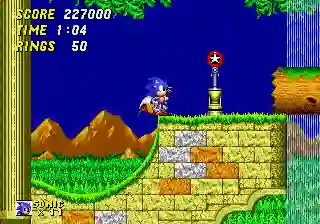
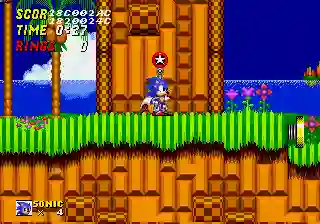
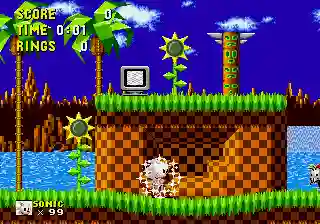
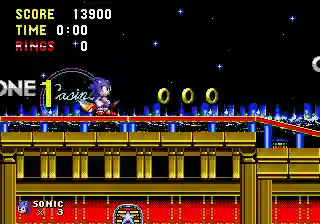
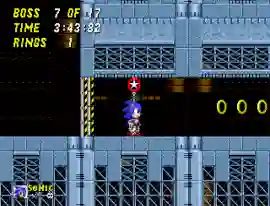
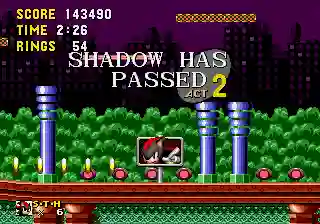
Mighty & Ray in Sonic 2 is a platformer for Genesis.
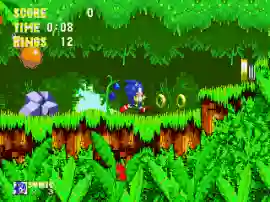
The immediate goal is to work through the side-scrolling acts with Mighty or Ray. Start by looking for a route you can finish reliably, rather than trying to stay at full speed. Use open slopes to build momentum and slow down when you can no longer see the next patch of ground.
Rings give you a margin for a mistake when you touch an enemy. If a hit scatters them, watch where Mickey is not relevant here: keep your character on safe footing and recover a nearby ring only if you can get away again.
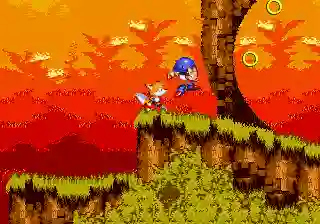
Judge jumps by the speed you bring into them. A running takeoff can carry you past a narrow ledge you could easily reach from a slower approach. If you find yourself fighting to turn in the air, change the approach rather than relying on a late correction.
Watch the next piece of ground instead of following the ring trail automatically. A trail can draw your eyes toward pickups while you miss the point where the slope ends. Whenever there is time to stop, find the landing first and decide whether the rings are worth a detour.
On an early run, take a few rings on level ground before trying a jump you haven't seen. If you later overshoot a ledge from a downhill approach, use the same route on your next try but slow down while you still have flat footing. That lets you test one change rather than guessing at a completely different line.
How to Play Mighty & Ray in Sonic 2 in Your Browser
- Open the player above and select Start Game when it appears. This launches the browser emulator; it is separate from the Start button on the original controller.
- Wait for the Genesis title screen. If loading fails before you reach the game, use the player’s reload button and give it another try. A black loading screen does not always mean the controls are unresponsive.
- Click inside the game window before using the keyboard. For a connected controller, open Control Settings and check its directions and action buttons at the title screen before you start a run.
On a phone or tablet, use the virtual buttons if your browser shows them. Landscape orientation may make the game easier to see. If you need to hold a direction and press several buttons at once, try a compatible gamepad or a desktop keyboard.
Mighty & Ray in Sonic 2 Controls
| Keyboard | Controller input |
|---|---|
| Arrow keys | D-pad |
| S / X / Z | A / B / C |
| Q / A / E | X / Y / Z |
| Enter | Start |
| V | Mode |
These are the default emulator bindings for player one. If they do not match your session, open Control Settings inside the player. The original controller labels tell you which button is being simulated; the game decides what that button does.
Pick two visible landmarks on a flat stretch and jump from the first toward the second. Try once from a walk and once with a longer approach. Compare the landing points before attempting the same movement near a gap.
On a slope that leads back to safe floor, practice easing off before you reach a landmark. Repeat until you can arrive at it slowly enough to stop or jump on purpose. Watch where you begin slowing down, not just where you finally stop.
Mighty & Ray in Sonic 2 Tips
- Brake before the edge If a slope sends you toward ground you can't see, begin slowing down while you still have room. Jump from a point where you can see the landing and judge how far you need to carry. If you reach the lip too fast to set up that jump, try slowing at an earlier landmark on the next pass.
- Take the reachable ring After a hit, go for a loose ring that lands on safe floor nearby rather than chasing the whole scatter. Turn back toward the route once you have it. If the rings bounce toward the enemy or a drop, move on and look for a fresh pickup.
- Learn the landing from below If jumping to a high path repeatedly leaves you unsure where you'll touch down, take a visible lower route when one is available. Watch where the paths appear to come together. If the lower route ends at an obstacle, return to a stable takeoff point rather than repeatedly jumping from the obstacle itself.
- Change one part of the jump When a jump fails, note whether you fell short or traveled too far before adjusting it. Try approaching faster for the first problem or slower for the second, without also changing where you jump. If the landing still misses, keep the new pace and move the takeoff point a little.
Games Like Mighty & Ray in Sonic 2
- Sonic Classic Heroes: Another platformer on Genesis; practice jumps and learn a route through the stages.
- Cooler Sonic in Sonic 3 & Knuckles: Another platformer on Genesis; practice jumps and learn a route through the stages.
- Super Sonic & Hyper Sonic in Sonic 1: Another platformer on Genesis; practice jumps and learn a route through the stages.
- Sonic 2 Heroes: Another platformer on Genesis; practice jumps and learn a route through the stages.
- Dark Super Sonic in Sonic 3 & Knuckles: Another platformer on Genesis; practice jumps and learn a route through the stages.