


Overview
About Tumble Pop
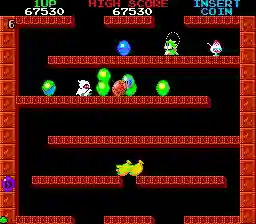
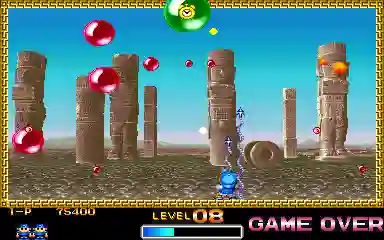
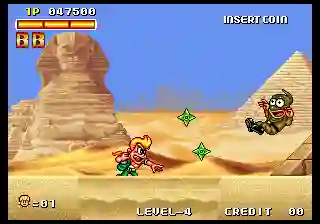
Tumble Pop is a platformer for Arcade, released in 1991.
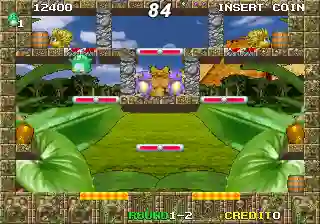
The goal on a regular stage is to clear the enemies, not to climb to an exit. That changes how you look at each platform. An empty ledge is somewhere you can stand while deciding where to go next, while a busy one is worth looking at from the side before you jump into it. Start by finding a ledge with enough room to face an approaching enemy without another immediately coming up behind you. You don't need to start with the biggest group. Taking one enemy off the board can give you a much better place to work on the rest.
The vacuum does two jobs. It pulls enemies in from the direction you're facing, then lets you send what you've caught rolling back out. A captured enemy is useful because the rolling shot can hit others in its path. Once you have something to send, look along the platform rather than staring at the vacuum. If two enemies are approaching from the same side at the same height, a shot down that lane can take out both. If they're on different levels, catching more before firing isn't necessarily an improvement. Choose a shot for the enemies that are actually in its path.
Approach and launch position aren't always the same thing. You might find it easiest to catch an enemy near the middle of a ledge, but a shot from there only covers the part you're facing. If the enemies are split on either side, decide which side needs to be cleared first. Fire toward the one that gives you room to move afterward instead of chasing the greatest possible number of hits. Holding a catch too long can let it break free, so don't make a long trip around the stage looking for a perfect angle. A useful shot now beats one you never get to fire.
Watch the difference between an enemy being drawn toward the nozzle and one that has disappeared into the vacuum. If you stop while the target is still outside, you haven't finished the catch. On the other hand, if a completed catch rolls out successfully but passes under your intended target, your vacuum timing wasn't the problem. Change the height of your launch. Those two misses can look like the same wasted opportunity in a crowded room, but fixing one means giving yourself more capture time, while fixing the other means choosing a different ledge.
When a room gets messy, separate getting clear from getting a hit. If the platform you're on has enemies on both sides, trying to turn and catch one after the other leaves you watching the nozzle instead of the other approach. Move to a less crowded level if you can see a clear landing, then choose which enemy to face. Likewise, when you have only one target left, there's no reason to wait for a chain shot. A straightforward capture and discharge is enough. Check the remaining ledges after a good hit so you don't keep working an already empty part of the screen.
For a first-room exercise, picture each ledge as a row on a tabletop board. Pick a row with one reachable enemy and say where you'd place your piece to catch it. Then pick a direction for the shot before moving. Execute that short plan and watch which spaces the shot actually crosses. Suppose you clear the near ledge but a target remains one row higher. Use the open ledge as a place to set up the next approach rather than firing again from below. The room becomes easier to read when you judge each action by the space it opens.
How to Play Tumble Pop in Your Browser
- Open the player above and select Start Game when it appears. This launches the browser emulator; it is separate from the Start button on the original controller.
- Wait for the Arcade title screen. If loading fails before you reach the game, use the player’s reload button and give it another try. A black loading screen does not always mean the controls are unresponsive.
- Click inside the game window, use the coin input if the machine asks for credits, and press the mapped Start button. Connect a gamepad before opening Control Settings if you want to check its inputs.
On a phone or tablet, use the virtual buttons if your browser shows them. Landscape orientation may make the game easier to see. If you need to hold a direction and press several buttons at once, try a compatible gamepad or a desktop keyboard.
Tumble Pop Controls
| Keyboard | Controller input |
|---|---|
| Arrow keys | D-pad |
| V | Insert coin |
| Enter | Start |
| Z / X / A / S | Action inputs (layout varies by game) |
These are the default emulator bindings for player one. If they do not match your session, open Control Settings inside the player. The original controller labels tell you which button is being simulated; the game decides what that button does.
Use the arrow keys to move toward a clear takeoff spot, then use the jump input shown in the game's layout to reach the next ledge. Practice landing short of an enemy rather than directly beside it. Let go of the horizontal direction as you reach the landing patch so you're not still walking when you need to face the target.
Check the game's button layout for the vacuum input among Z, X, A and S. Practice on a lone enemy with space in front of you: face it, engage the vacuum, and watch for the catch before sending it back out. Avoid changing direction during this test so you can see where a straight discharge travels.
Tumble Pop Tips
- Set a catch line. Choose a lone enemy and pick a visible seam or edge on its ledge as the point where you'll start vacuuming. Face it and watch whether it gets drawn all the way in before it reaches you. On another attempt, use the same landmark so you can compare the result. If it reaches you first, start sooner or give yourself more room along that ledge rather than running straight up to it.
- Predict the second hit. With an enemy caught, pick one target for the rolling shot and then look just beyond it for a possible second hit. Fire when both targets are in the lane, and watch whether the first hit is followed by another. If the second enemy steps away or drops out of line, note where it was when you fired. Next time, take the clear first hit sooner instead of waiting too long for both.
- Land before turning. Pick a destination ledge with an empty patch and an enemy farther along it. Jump into the patch, then face the enemy from your landing spot. The aim is to finish with the nozzle pointed down the ledge without drifting right into the target. If you sail past the patch, let up on horizontal movement earlier. If the patch stops being empty before you jump, wait for another opening rather than forcing the same landing.
- Find the last target. After a shot clears a busy ledge, trace the screen from the bottom platform to the top before moving again. Pick out one remaining enemy and the least crowded ledge you can reach it from. You should end up with a single approach to try, rather than climbing and dropping at random. If the enemy moves to a different level while you're setting up, stop at a clear landing and scan again.
Games Like Tumble Pop
- Caveman Ninja: Another platformer on Arcade; practice jumps and learn a route through the stages.
- Ghouls'n Ghosts: Another platformer on Arcade; practice jumps and learn a route through the stages.
- Penguin Brothers: Another platformer on Arcade; practice jumps and learn a route through the stages.
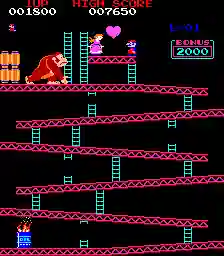
- Donkey Kong: Another platformer on Arcade; practice jumps and learn a route through the stages.
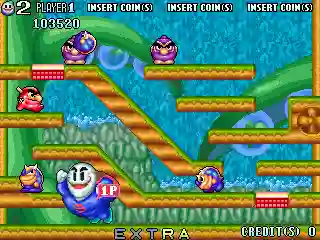
- Snow Bros. 2 - with new elves: Another platformer on Arcade; practice jumps and learn a route through the stages.